


Bitsa Card
#135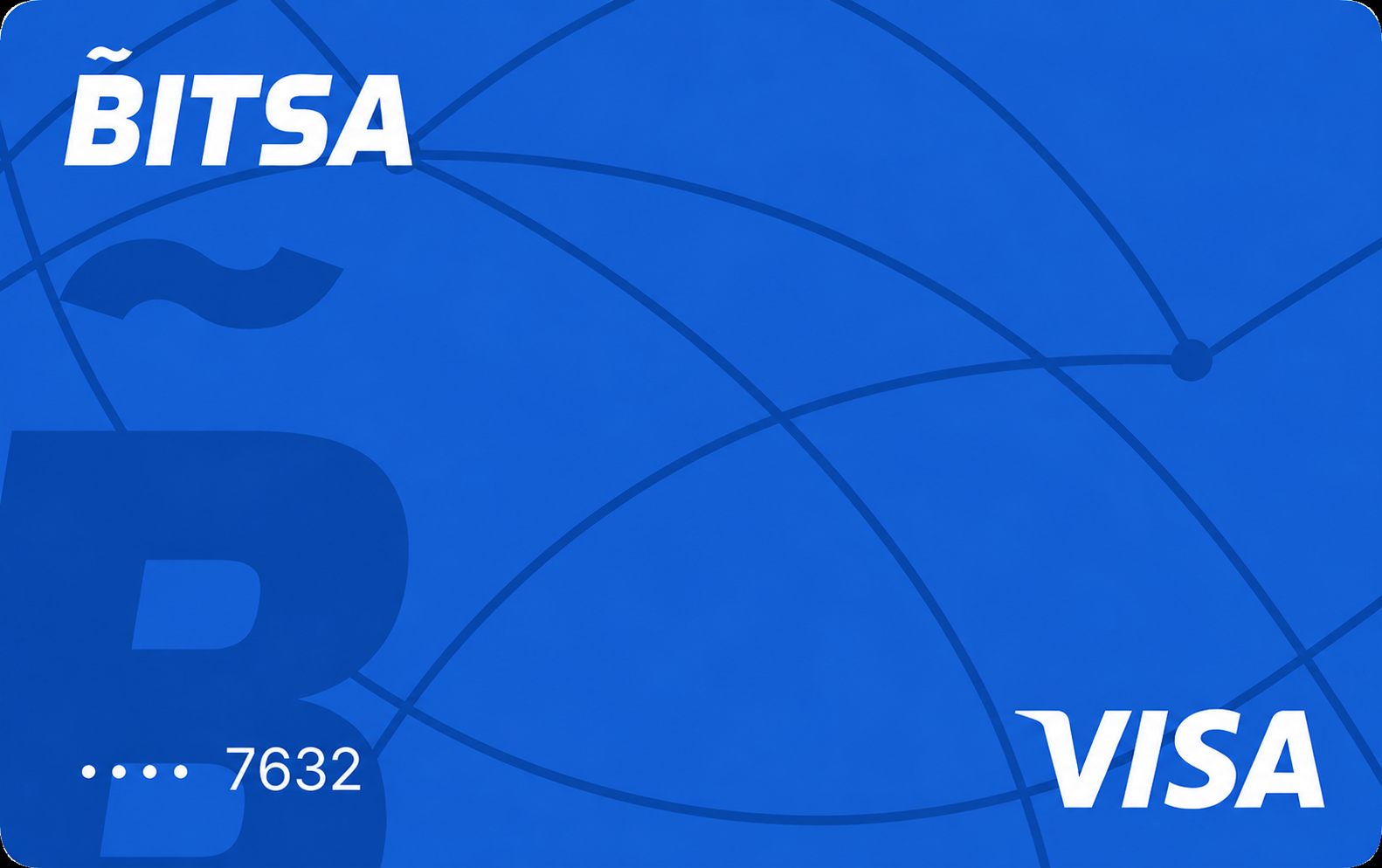
Bitsa is a no-frills Euro prepaid crypto card for European residents who want broad coin support without a monthly fee, but a 3.8% conversion fee and no cashback limit its appeal to occasional users.
Get Bitsa CardAvailability
Rewards rate
None
FX fee
2%
Savings
0.0
Availability
37 countries
Bitsa CardMain perks
Bonus offers
Rewards
Pros
Cons
Options to Bitsa Card


FAQs
Questions, answered
The Bitsa Card is a prepaid payment card linked to the Bitsa app. It is designed for everyday spending, online purchases, ATM withdrawals and transfers, with both virtual and physical card options available depending on the user's plan.
Bitsa is not a conventional bank account and the card does not give you a revolving credit line. You spend the balance available in your Bitsa account, so transactions are limited by the money you have loaded and by the limits attached to your plan.
The wider Bitsa app also includes crypto buying and selling, SEPA transfers, card-to-card transfers and mobile-wallet support. Crypto cannot be spent directly from the crypto section. To use crypto for a card purchase, you first sell it inside Bitsa and the equivalent euro balance is then available to spend with the card.
The Bitsa Card is best understood as a prepaid card. You spend money that has already been loaded into the Bitsa account rather than borrowing from a bank or card issuer.
That means there is no traditional revolving credit balance, interest charge or monthly credit statement. If the available Bitsa balance is insufficient, the payment cannot be completed unless you add more funds.
This structure is important when comparing Bitsa with crypto credit cards. Bitsa is mainly a spending account with card access, not a product for borrowing against crypto. The card terms also state that the amount you can use is determined by the available account balance and by the transaction and ATM limits applicable to the card.
The Bitsa Card is issued through Pecunia Cards EDE, S.L.U., also known through the Pecunpay brand. The official card terms identify Pecunia Cards as the payment institution behind the card and list its registration with the Bank of Spain.
Bitsa provides the app, account experience and related services, while Pecunpay provides the regulated card infrastructure. This separation matters because the brand on the card and the legal issuer are not necessarily the same company.
For users, the practical result is that card authorisation, payment rules, transaction limits and certain disputes ultimately operate under the issuer's card terms. When comparing regulatory protection, it is better to look at the actual issuer and payment-service agreement rather than assuming Bitsa itself is a bank.
No. Bitsa does not currently let the card deduct cryptocurrency directly at the moment of purchase. To spend crypto, you first sell the cryptocurrency inside the Bitsa app and the equivalent amount in euros is added to your card balance.
You can then use that euro balance for normal card payments. This means the merchant receives a conventional card payment and does not need to accept cryptocurrency.
The distinction matters because Bitsa's crypto feature is separate from the card balance. Bitsa also says users cannot send or receive cryptocurrency to or from external wallets through the current crypto account. The crypto section is primarily for buying and selling assets inside the app, rather than functioning like a self-custodial wallet connected directly to the card.
No. Bitsa should not be treated as a self-custodial crypto card or wallet. The crypto section allows users to buy and sell supported assets inside the app, but Bitsa currently states that users cannot send or receive those cryptocurrencies to external wallets.
That means you do not control the crypto through your own private keys in the same way you would with a self-custodial wallet. To use crypto for spending, you sell it in the app and then spend the resulting euro balance with the card.
For users who prioritise direct ownership and external wallet transfers, this is an important limitation. Bitsa is better suited to people who want a simple prepaid-card experience with integrated crypto trading than to users looking for a card that remains fully on-chain and self-custodial.
Bitsa currently offers three main personal plans: Free, Move and Pro. The plan determines how many cards you can have and the spending, transfer, balance and ATM limits available to your account.
The Free plan includes one physical and one virtual card. Move currently supports up to two physical and three virtual cards. Pro supports up to four physical and four virtual cards.
Move and Pro are paid subscriptions and can be paid monthly or annually. Bitsa's current public materials list Move at €0.99 per month and Pro at €9.99 per month, although pricing and annual discounts can change. Before upgrading, compare the higher limits and extra cards with the subscription cost, because many users may find the Free plan sufficient.
Bitsa's costs depend on the plan and transaction type. Ordinary euro card purchases do not have a separate card-payment fee, while purchases made outside the Eurozone or in another currency currently carry an FX charge.
Bitsa's latest Help Centre guidance lists 1.75% on the exchange rate for non-euro payments within Europe and 2% for transactions in the rest of the world. Maintenance fees vary by plan, with Free having no subscription and Move and Pro using paid monthly or annual subscriptions.
Other costs can apply to top-ups, transfers or ATM withdrawals depending on the plan. Because Bitsa uses several plan-specific limits and allowances, the best way to assess cost is to compare your expected usage with the live plan table rather than relying on one headline fee.
Bitsa limits depend on the plan. The current public plan materials list the Free plan with a maximum card balance of €2,500 and a purchase limit of €1,500. Move increases the maximum balance to €15,000 and the purchase limit to €5,000.
Pro is designed for heavier use and currently advertises a €15,000 purchase limit with no general account-balance ceiling. ATM allowances also rise by plan, from one withdrawal per day on Free to two per day on Move and four per day on Pro.
Because Bitsa has updated individual limits over time, the figures shown inside your account should be treated as authoritative. The issuer can also apply transaction-specific controls, and the card terms state that spending cannot exceed the available account balance.
Yes. Bitsa officially supports both Apple Pay and Google Pay. Eligible users can add a Bitsa card to either mobile wallet and then use a compatible phone or device for contactless payments.
This applies particularly well to Bitsa's virtual-card experience, because the digital card can be used without waiting for a physical card to arrive. Mobile-wallet payments still draw from the same Bitsa card balance and remain subject to your plan's limits and FX pricing.
Adding the card to Apple Pay or Google Pay does not turn the account into a separate wallet or change how crypto works. If you want to spend crypto, you still need to sell it inside Bitsa first and convert it into euro card balance.
Yes. Bitsa currently says the first virtual card is free. The Free plan also includes access to one physical card and one virtual card within its plan allowance, although ordering or distribution conditions for physical cards can depend on the current offer and country.
Additional cards are controlled by the plan. Move allows more physical and virtual cards, while Pro provides the highest card allowance.
For users who only need online payments or Apple Pay and Google Pay, the free virtual card can be enough to start. If you need ATM withdrawals or want a physical card, check the current ordering terms in the app before assuming there is no delivery or issuance cost in your country.
Yes, but Bitsa's cashback is not a simple fixed percentage on every card purchase. The company promotes cashback of up to 15% at participating merchants for eligible Move and Pro users.
That means the maximum reward depends on where you spend and the promotion available rather than applying universally to all card transactions. The Free plan should not be assumed to receive the same merchant cashback benefits as the paid tiers.
When comparing Bitsa with a card that offers a fixed 1% or 2% on all eligible purchases, look at the merchants you actually use. A headline rate of up to 15% can be valuable if the offers match your spending, but it is not equivalent to earning 15% on every transaction.
Bitsa is available to residents of supported European Economic Area countries who can provide acceptable proof of residence and complete the required verification. Its current eligibility list includes countries such as Spain, France, Germany, Italy, Portugal, the Netherlands, Austria, Belgium, Ireland, Sweden and several other EEA markets.
Some countries that appeared in older lists are currently shown as unavailable, so residency should always be checked against the latest Help Centre article before applying.
Bitsa also supports users aged 16 and 17 through its Bitsa Young setup, provided a legal guardian gives the required authorisation. Adults can apply directly if they meet the residency and verification requirements.
Bitsa supports several funding methods. Its current app guidance lists crypto conversion, bank card, Bitsa voucher, bank transfer and transfers from another Bitsa card as ways to add usable balance.
Crypto, card, voucher and internal Bitsa transfers can be credited quickly, while bank transfers generally take longer. Bitsa says bank-transfer top-ups usually take around 24 to 72 business hours.
Crypto funding works differently from a normal wallet deposit. You are not sending crypto into a self-custodial Bitsa wallet for direct card spending. Instead, Bitsa's crypto feature lets you buy or sell supported assets inside the app, and selling crypto creates the euro balance that can then be used by the card.
Yes. The Bitsa Card can be used internationally wherever the card network is accepted, subject to normal merchant, issuer and country restrictions.
The main cost to watch is foreign exchange. Bitsa's latest Help Centre guidance lists a 1.75% exchange-rate charge for payments in non-euro currencies within Europe and 2% for transactions in the rest of the world.
This makes the card usable for travel, but not a zero-FX card. Before using it abroad, check your plan limits and available euro balance. If you are holding crypto in Bitsa, remember that it needs to be sold into euros first before the resulting balance can fund card purchases.
For card, account or verification questions, use Bitsa's official Help Centre at https://soporte.bitsacard.com. The Help Centre covers card ordering, limits, plans, crypto, transfers, top-ups, security and Bitsa Young.
You can also submit a support request from the Help Centre if the published article does not resolve the issue. For transaction problems, keep the amount, merchant, date and any error message available so support can identify the payment more quickly.
Do not share your password, secret code, one-time authentication codes or other sensitive credentials with anyone contacting you as Bitsa support. If a card is lost or compromised, use the in-app blocking controls immediately and then contact support through the official channel.