ARQ Business Card
#2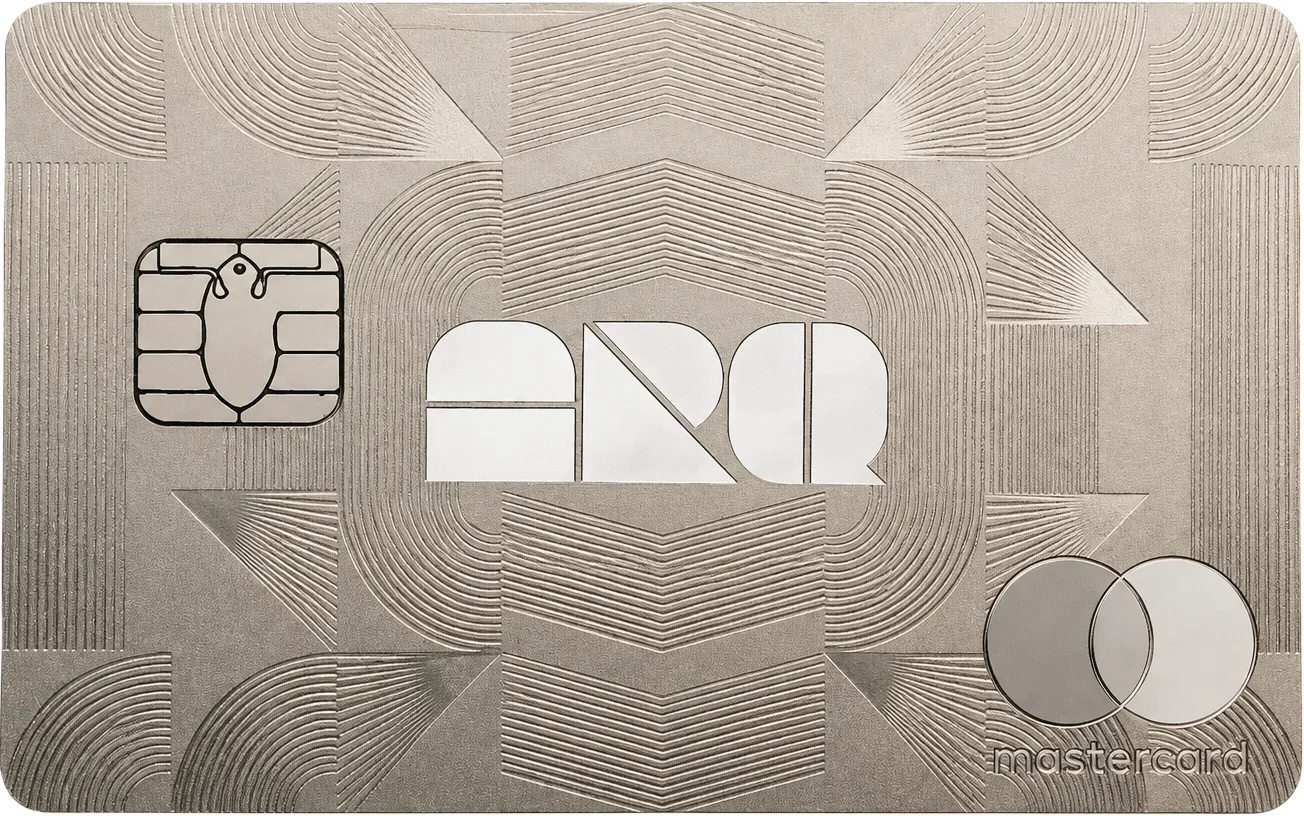
ARQ Business gives Latin American companies a multi-currency account with US and European details, corporate cards for the team, and bulk payouts to international contractors. Conversions run at institutional rates on the same infrastructure as the consumer app. The catch: ARQ publishes no pricing for the business account or its cards, so costs only become visible after signup.
Get ARQ Business CardAvailability
Rewards rate
None
FX fee
Interbank rate
Savings
None
Availability
3 countries
ARQ Business CardMain perks
Bonus offers
Rewards
Pros
Cons
Options to ARQ Business Card



FAQs
Questions, answered
The ARQ Business Card is a corporate payment card connected to an ARQ business account. ARQ describes it as a prepaid credit card that operates using the available balance in the company account, so businesses can fund spending centrally rather than giving employees access to a conventional revolving credit line.
The card sits inside ARQ business, a web-based platform designed for companies that want to hold, move and spend money across currencies. Businesses can issue cards to employees, link them to sub-accounts and set daily, monthly or annual spending limits.
For finance teams, the main advantage is control. Cards can be separated by employee or purpose while the company keeps visibility over the underlying account. ARQ also supports international transfers and account details in markets such as Mexico, the United States and Europe, making the card part of a broader cross-border business account rather than a standalone corporate card.
The ARQ Business Card uses the available balance in the company's ARQ business account. ARQ calls it a prepaid credit card and states that it has a monthly credit cycle, but spending is backed by funds already available in the business account rather than an unsecured borrowing facility.
A company can create sub-accounts and link individual cards to those sub-accounts. This allows finance teams to separate budgets by employee, department or spending purpose. Administrators can also set daily, monthly and annual spending limits for each card.
That structure is useful for expense control because employees can make normal card payments while the company determines how much each card can access. It also reduces the need to reimburse staff after purchases. As with any corporate card, businesses should still review the exact account limits shown in ARQ business because transaction capacity can depend on the company's verified account profile.
ARQ says there is no fixed limit on the number of business cards a company can issue. A company can assign an ARQ Business Card to employees and personalise each card with the employee's name.
Each card can also be linked to a specific sub-account inside the main ARQ business account. Administrators can then set daily, monthly and annual spending limits according to the employee's role or budget.
This makes ARQ Business particularly relevant for companies that need more than one corporate card, because card issuance is not restricted to a small predefined bundle. The practical constraint is instead the company's verified account limits and internal controls. Businesses should create clear card policies and use ARQ's role-based access settings so only authorised administrators can issue cards, change limits or move funds between sub-accounts.
ARQ currently states that it does not charge a fee for using the ARQ Business Card. Its business fee page also says ARQ does not add an extra fee for ATM withdrawals, although the ATM operator itself may charge a surcharge.
That makes the published card-level pricing relatively simple. However, a business account can involve other costs or limits that are separate from card usage, such as transfer conditions, account limits or third-party charges. A merchant or ATM can also apply its own fees independently of ARQ.
For comparison purposes, it is best to separate card fees from wider account costs. The card itself may have no ARQ usage fee, but the total cost of moving money into or out of the business account can still depend on the payment rail, currency and external provider involved. Check the current ARQ business Help Centre before making high-value transactions.
Yes. ARQ Business currently advertises 1% cashback when the ARQ Business Card is used, with the reward paid in the local currency, which ARQ identifies as MXN in its published business benefits.
Cashback can reduce the effective cost of routine company spending, particularly for businesses that put recurring software, travel, advertising or operational expenses on corporate cards. However, the published benefit should be checked against the current terms before assuming every merchant or transaction qualifies.
ARQ's business Help Centre presents the 1% cashback as one of the platform's headline benefits alongside sub-accounts and transfer services. Because reward programmes can change, MyCardCompare treats this as the currently published rate rather than a permanent guarantee. Businesses should also compare the value of the cashback with any external FX, merchant or transfer costs that may apply elsewhere in the payment flow.
Yes. ARQ Business lets companies create custom sub-accounts under the main account and link specific cards to them. Each sub-account can be named and configured with minimum or maximum limits, and funds can be moved between the main account and sub-accounts.
This is one of the most useful features for expense management. A business could create separate sub-accounts for marketing, travel, software or individual teams, then connect employee cards to the relevant budget. Administrators can combine this with per-card daily, monthly and annual spending limits.
The result is more granular control than simply issuing several cards against one unrestricted balance. It also makes it easier to ring-fence funds for a particular purpose. Companies should still assign account roles carefully, because only administrators should have broad authority to change permissions, create structures or move money across the business account.
Yes. ARQ Business allows administrators to set daily, monthly and annual spending limits on employee cards. Cards can also be linked to specific sub-accounts, giving companies two layers of control: how much money is allocated to a budget and how much a particular card can spend.
This is useful for teams that want to prevent overspending without manually approving every purchase. For example, a travel card could have a monthly ceiling while a procurement card has a higher annual allowance.
ARQ also applies account-level transaction limits based on the company's verified profile. If the business needs higher overall limits, ARQ says it can request an increase by providing supporting source-of-funds documentation such as tax returns, invoices, financial statements, investor agreements or contracts. Card limits therefore sit inside the broader limits of the business account.
Yes. ARQ Business officially supports both Apple Pay and Google Pay. Cardholders can add their corporate card to Apple Wallet or Google Wallet and verify it using a confirmation code sent by email.
Once added, the card can be used for contactless payments with a compatible phone or smartwatch at merchants that accept the relevant wallet and card network. This is particularly convenient for employees who do not want to carry the physical card for every purchase.
Mobile-wallet support does not change the company's underlying limits or sub-account configuration. Any spending controls set by the administrator still apply when the card is used through Apple Pay or Google Pay. Device and regional wallet availability can vary, so employees should follow the current ARQ Business setup instructions if enrolment fails.
Yes. ARQ's business fee documentation confirms that ARQ Business Cards can be used for ATM withdrawals. ARQ currently says it does not charge an additional withdrawal fee itself, so the cardholder only pays any fee imposed by the ATM operator.
A physical card has a four-digit PIN, which only the assigned cardholder can view through the ARQ Business platform after completing two-factor authentication. That PIN is required for standard ATM use.
Cash withdrawals are useful for travel or cash-based business expenses, but they are generally harder to audit than card purchases. Companies may therefore want to set tighter limits for employees who need ATM access. It is also worth checking the ATM's own surcharge and currency conversion offer before confirming a withdrawal, as these third-party costs are outside ARQ's control.
ARQ currently states that physical ARQ Business Card shipping is available exclusively within Mexico. Businesses can request delivery to an address in Mexican territory.
This delivery restriction is important because ARQ Business account eligibility is broader than physical card delivery. ARQ says a company can open a business account regardless of where it is incorporated, but the card shipping programme itself is presently limited to Mexico.
A company outside Mexico should therefore not assume that opening an ARQ Business account automatically means it can receive physical cards locally. Other ARQ business services, including transfers, also have their own geographic rules. Before onboarding specifically for corporate cards, verify the latest delivery coverage in the Help Centre because ARQ has indicated that it is expanding its business services over time.
ARQ says companies can open an ARQ Business account even if they are not incorporated in Mexico or the United States. However, the business must complete company and identity verification before it can operate the account.
Onboarding requires corporate documentation such as formation documents, ownership information, tax identification, proof of address and source-of-funds evidence. Owners holding more than 25% generally need to provide official identification, and the legal representative completes identity and liveness checks.
ARQ also states that it repeats Know Your Business verification annually. This makes the product more suitable for established companies that can provide formal corporate records than for informal teams without legal documentation. Transfer destinations and physical card delivery have separate geographic restrictions, so broad account eligibility does not mean every ARQ Business feature is available in every country.
ARQ Business currently supports three main funding routes. Companies can deposit Mexican pesos through SPEI to the assigned CLABE, send US dollars from a US bank using ACH or wire transfer, or send euros from a European bank using SEPA to the assigned IBAN.
ARQ says MXN deposits are automatically converted into digital dollars or digital euros according to the account configuration. Account details are available inside the My Accounts section of the web platform.
These funding options make the account useful for companies operating across Mexico, the United States and Europe, but they are separate from card usage itself. A business should review the current exchange treatment, transfer limits and any third-party banking costs before moving large amounts. The available balance in ARQ Business is what ultimately supports spending on the prepaid corporate card.
Yes. ARQ Business supports role-based access and does not publish a fixed limit on how many users can access a business account. The platform defines roles including Administrator, Payment Operations, Card User and Read Only.
Administrators have the broadest access and are the only users who can assign, modify or revoke roles. Payment Operations users can manage transactions, Card Users are restricted to their assigned cards, and Read Only users can view information without making transactions.
This matters for card management because a company can give employees the access they need without exposing the entire business account. Combined with sub-accounts and card-specific spending limits, the permission system provides a practical separation of duties. ARQ still recommends limiting account access where possible, since giving unnecessary permissions increases operational and security risk.
No dedicated ARQ Business mobile app is currently available according to ARQ's business Help Centre. The business product is managed through its web platform at business.arqfinance.com.
This does not prevent employees from using their cards on mobile. ARQ Business Cards can still be added to Apple Pay or Google Pay for contactless purchases, but company administrators manage the business account through a browser.
For finance teams, this distinction matters if mobile-first administration is a requirement. The browser platform supports account access, cards, sub-accounts, limits and other business functions, while the mobile wallet is used only for card payments. ARQ says it is working to expand platform availability, so this may change. Companies should check the current Help Centre if a native app is essential to their workflow.
ARQ Business provides support through its web platform and dedicated email addresses. For general card and account questions, the Help Centre lists business.support@arqfinance.com. Questions about increasing account limits can be sent to business.limits@arqfinance.com.
The official ARQ Business Help Centre is https://help-business.arqfinance.com/en/. It contains separate guidance for account onboarding, cards, funding, withdrawals, limits and security.
For a card issue, include enough information for support to identify the transaction or card without sending passwords or two-factor authentication codes. If the problem concerns a limit increase, ARQ may ask for source-of-funds documents such as tax returns, financial statements, contracts or investor agreements. Businesses should use the official platform and Help Centre rather than third-party social accounts for account-specific support.